Sunday, February 5, 2023

Create ICNS (icons for Mac) on GIMP

It's official! Gimp supports ICNS! 

Well, it's not yet officially "official".  But beta build of Gimp already supports ICNS file format.

Yes, the file format for icons that Mac OS uses.

Open, Create, Edit ICNS with Gimp 2.99.14 (the beta build I tested it on).  As of posting, official Gimp is at 2.10-32.

It will also tell you if your icon size is supported or not! Sweet!  No need to check the internet if a size is supported.

So, I created ICNS for Kage Studio with Gimp 2.99.  I tested 16x16, 18x18, 24x24, 32x32, 36x36, 48x48, 64x64, 128x128, 256x256, and 512x512.

It was unreal using Kage Studio to create the icon for Kage Studio.  Then exporting the Kage Studio icon from Kage Studio to PNG which Gimp obviously supports.  Then use Gimp to downscale from high resolution to all the dimensions that ICNS supports.

Not sure who to credit for supporting the file format, maybe everyone on the ticket that was raised 2 years ago by cardcraft, that was finally closed just 3mos ago.

I so love Free and Open Source Software.  What a time to be alive.

~creek23

Sunday, January 8, 2023

Where to snowboard on Whistler for free?

It's weird that this information isn't actually available on the Internet.  Rather, the information on the Internet are outdated. Maybe a locals only information? 🤔


Where can you snowboard on Whistler for free?

That depends on your skill level.  And this post is for the beginners and somewhat intermediate who just want to snowboard all day without having to pay day pass which costs around 87~219 CAD.

The answer, Whistler Blackcomb, of course.

Not sure if the crew manning the Whistler Blackcomb ski resort are just letting non-pass holders to go snowboarding for free but it is! It is FREE to snowboard the beginner and intermediate are of Whistler Blackcomb.

Free Spot?

Right at the base of Whistler Blackcomb,  just around the Blackcomb gondola.  One side for beginners, the other side for somewhat intermediate. Both spot, for FREE!

Free Lift?

Their gondola still requires pass, but the Magic Chair lift is FREE.  But it's only going to bring you up to Excalibur gondola.  But then again, it will let you snowboard for free on the currently considered number one spots to ski and snowboard.

Free Parking?

Parking lot 6 is the closest parking to the free area and it's also FREE.  That is why it's also the first to get filled up.

Next closest parking are lot 1, lot 2 and lot 3 but requires payment until 5pm which becomes free afterwards.

Still cannot find parking space?  Head over to parking lot 4 and lot 5.  These parking lots are not easily spotted unlike 1, 2 and 3, even though signs are there, which makes it easy to miss.

Parking lot 7 and lot 8 are also free but is far from the free beginner, intermediate area.  You don't wanna walk in ski/snowboard boots with that distance.

For paid parking, here's a quick tip, pay online via their app to avoid the line.

Free Food?

You're pushing it.  If you parked by lot 6, be sure to bring your own food and drinks.  Park lot 6 is so accessible, you can sneak a quick snack by the parking and get back to the intermediate spot.


Thursday, September 22, 2022

NEW Spritesheet Tool in town!

Ever heard of the 2D animation tool called, Kage Studio?  It has the Macromedia Flash feel to it.  Yes, Macromedia Flash -- not Adobe Animate.

Kage Studio is a free vector art animation tool which handles vector editing pretty much like Inkscape.  You draw the shapes and modify them with Select Tool and/or Node Tool.

I'll write a different article on how to use this free animation tool, but for now, let's focus on how we can make game art out of this tool.

Kage Studio is free and open source, currently hosted on SourceForge so, nothing to worry.  Now, download and install Kage Studio then open the demo file included with it, called demo.ksf

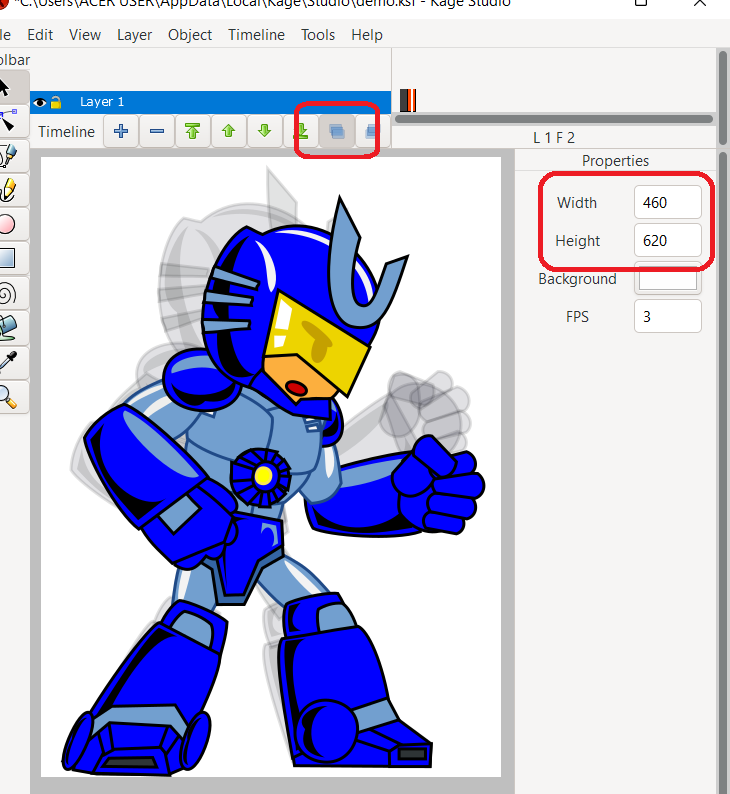
Adjust the Width and Height to fit the current artwork.  Make note of the Width and Height you set -- you might need it on your code to specify the width and height of each frame on your spritesheet.

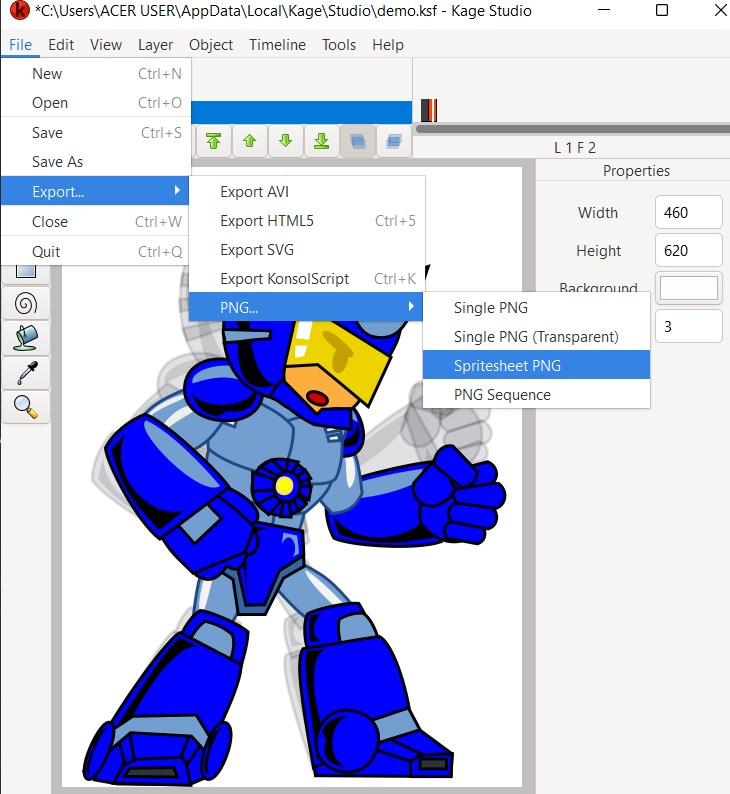
Now. you are ready to export it as Spritesheet.  Click on File -> Export -> PNG... Spritesheet PNG.

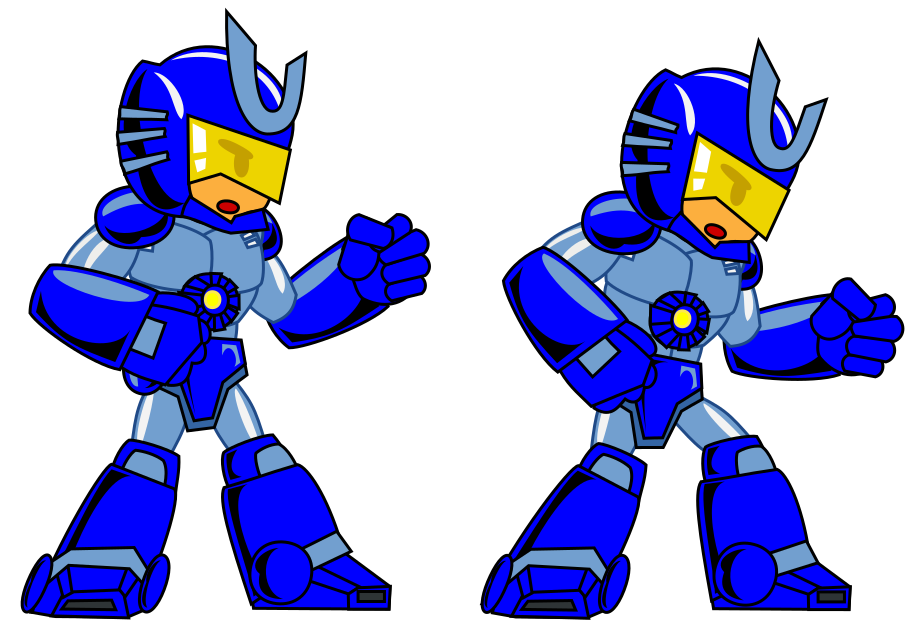
Set the filename then check the Spritesheet for your self.

Load that to your game engine and see it get animated.

I've made a quick test with Phaser.  It should be doable with any other game engines.

With Kage Studio, you can have your sprite animation previewed inside the tool before loading inside your game.  Even reuse your sprites to create your cut scenes or cinematic and vice versa.


~creek23